
Appearance
Company Contacts
You can manage designated contact points for each company on the Company Detail page. This feature ensures that the appropriate people—whether registered users or external stakeholders—receive important information related to billing, security, and operations.
Contact Roles and Requirements
To ensure reliable communication, each company must always have a defined set of contacts.
- Primary Contact: Each company must have exactly one Primary Contact.
- By default, the user who creates the company is assigned as the Primary Contact.
- The Primary Contact is automatically subscribed to all notification topics and cannot unsubscribe.
- To change the Primary Contact, assign another contact as Primary. The previous Primary Contact can then be modified or removed.
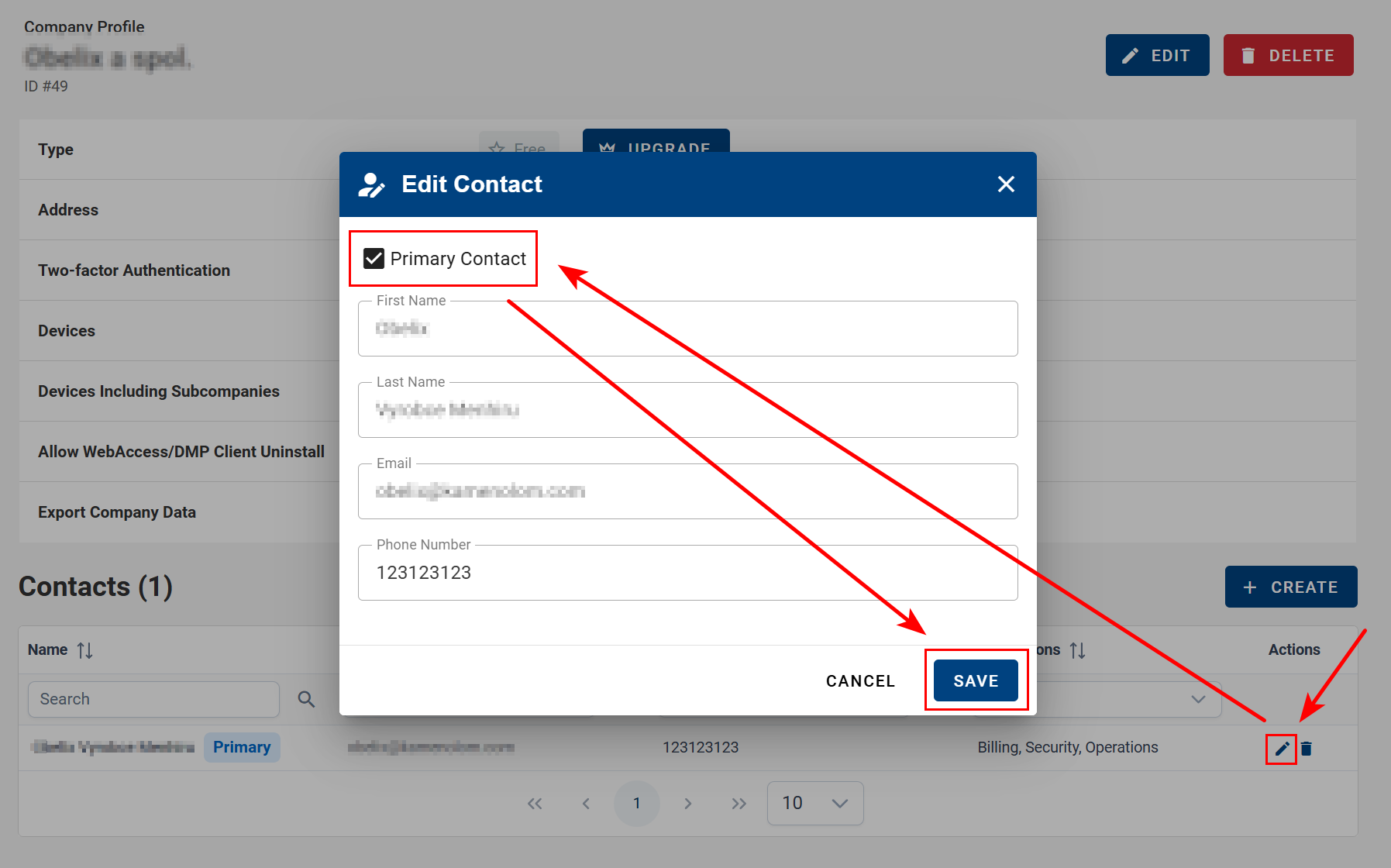
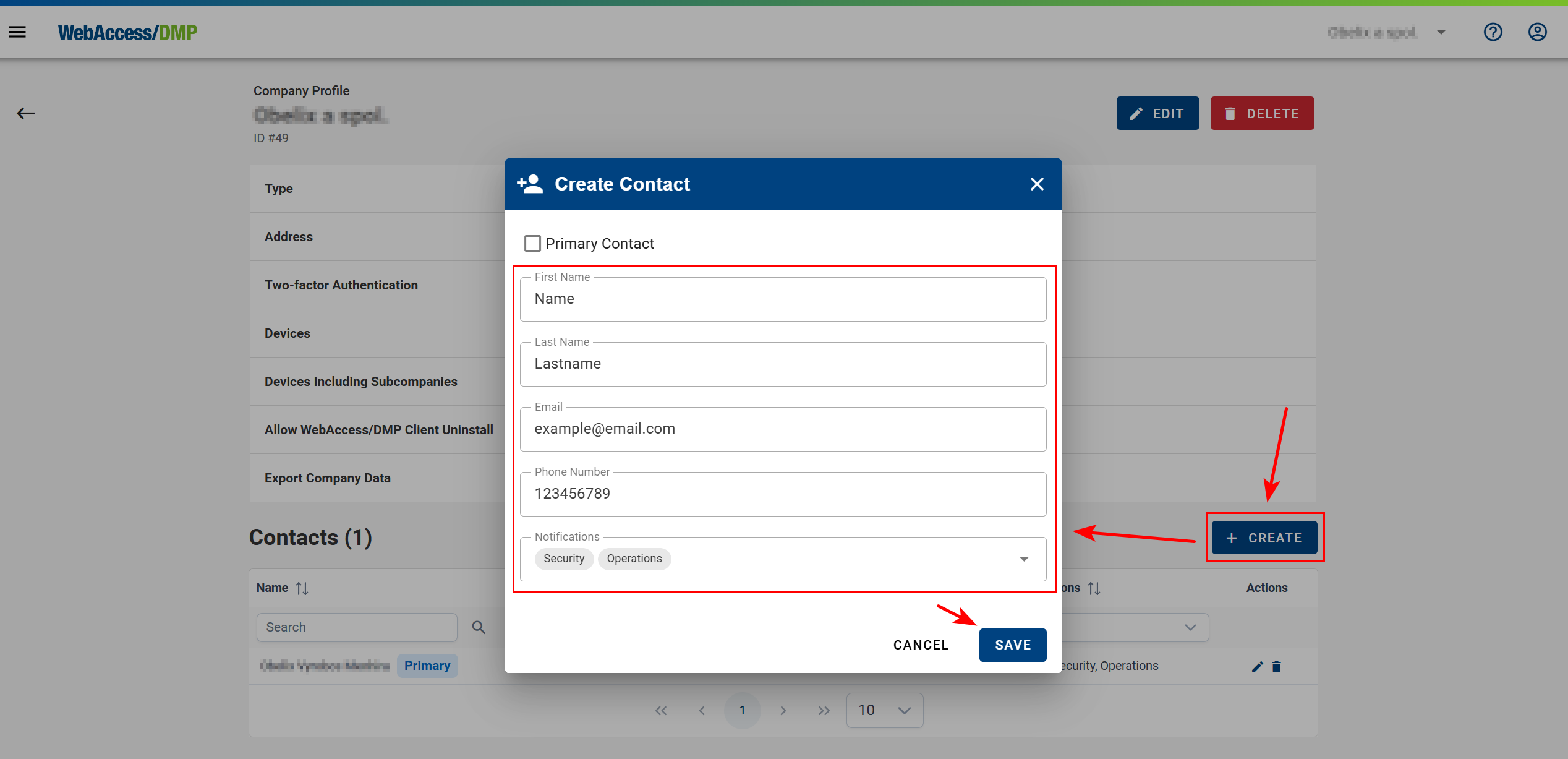
- Additional Contacts: You can add any number of non-primary contacts to ensure that relevant departments or individuals are informed.
Contact Attributes
Contacts do not need to be registered application users. Each contact entry contains:
- Name: Full name of the person or department.
- Email: Primary address used for notifications.
- Phone Number (Optional): Secondary contact method for urgent situations.
- Subscriptions (Optional): Topics for which the contact should receive notifications.
Subscription Topics
Contacts can be configured to receive only specific categories of notifications. The following subscription topics are available:
| Topic | Description | Behavioral Notes |
|---|---|---|
| Billing | Invoices and billing-related notifications. | Note: Applies only to Root Companies. In child companies, this topic has no effect. |
| Operations | Notifications about maintenance windows, temporary outages, and releases. | Intended for technical and operational staff. |
| Security | Alerts related to security incidents or vulnerabilities. | Sent only when a security-related event occurs. |