
Appearance
Company Contacts
Designated contact points for each company are managed on the Company detail page. Contacts do not need to be registered WebAccess/DMP users — defining them ensures that the appropriate people, whether registered users or external stakeholders, receive important information related to billing, security, and operations.
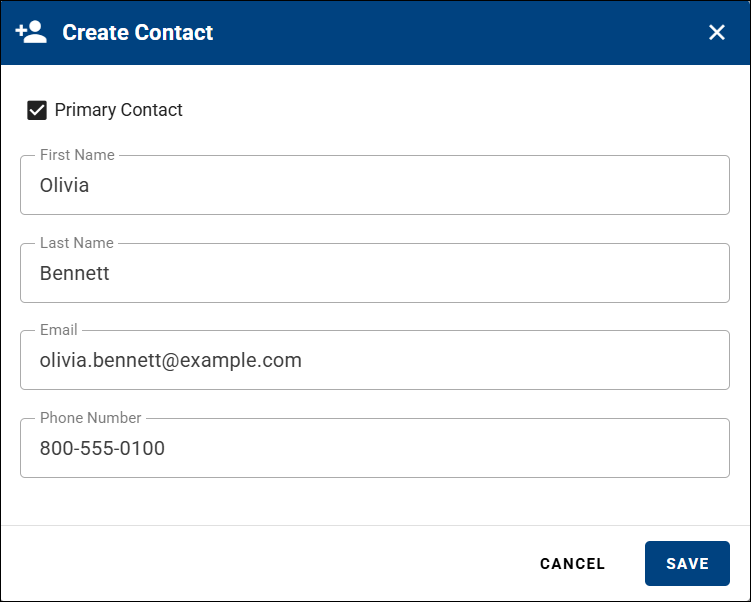
Primary Contact
- Each company must have exactly one Primary Contact.
- When a company is created, contact details must be provided; these become the company's Primary Contact.
- The Primary Contact is automatically subscribed to all notification topics and cannot unsubscribe.
- To change the Primary Contact, assign another contact as Primary. The previous Primary Contact can then be modified or removed.
Non-Primary Contacts
- Any number of non-primary contacts can be added to ensure that relevant departments or individuals are informed.
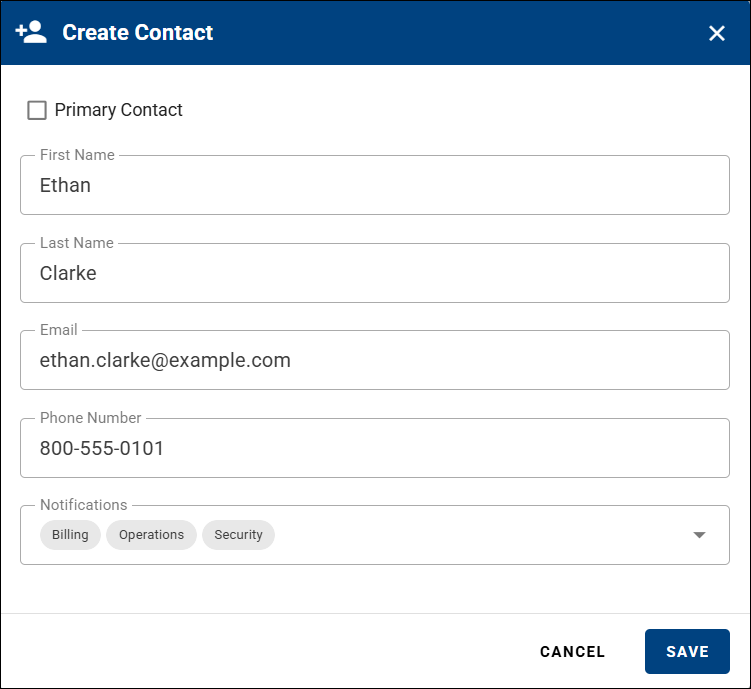
- When creating a non-primary contact, you can choose the notification type they should receive, as shown in the table below. This allows you to tailor communication based on the contact's role or responsibilities within the organization.
| Topic | Description | Behavioral Notes |
|---|---|---|
| Billing | Invoices and billing-related notifications. | Applies only to Root Companies. In child companies, this topic has no effect. |
| Operations | Notifications about maintenance windows, temporary outages, and releases. | Intended for technical and operational staff. |
| Security | Alerts related to security incidents or vulnerabilities. | Sent only when a security-related event occurs. |