
Appearance
Premium Features
With a Premium company, you can:
- Manage an unlimited number of devices (no 5-device limit).
- Create and manage rules in the Alerts section.
- Create and manage child companies.
Changing the company type (to or from Premium) always applies to the entire company hierarchy.
How to Upgrade to a Premium Company
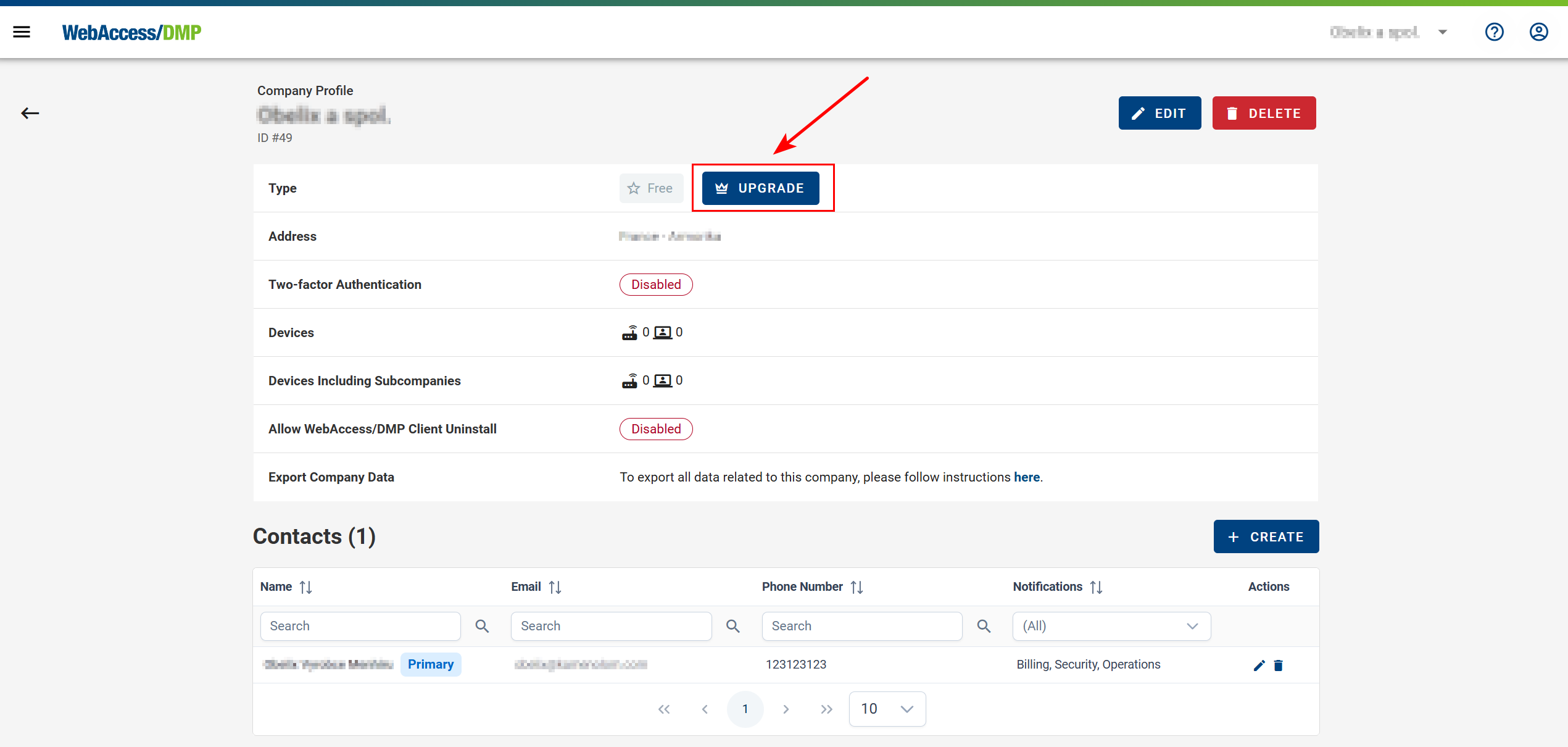
- Open the Companies list from the context menu and select your Root Company.
- In the company menu, click the crown icon labeled Upgrade.
- Optionally, enter your company ERP ID. Otherwise, click Submit Request.
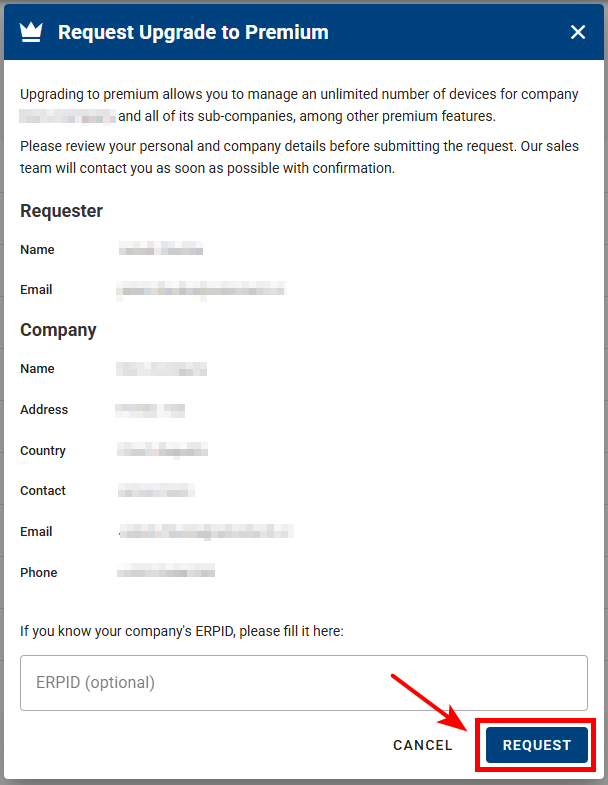
- Confirmation and Follow-Up:
After submitting the request, an email is sent to the regional sales manager and a confirmation email is sent to you. The sales manager will contact you to discuss the upgrade details.
How to Downgrade a Premium Company
- Reduce the number of devices to no more than 5.
- Remove all child companies (only the Root Company may remain).
- Send a downgrade request by email to wadmp@advantech.com.