
Appearance
Commands
A Command is a request sent from the server to a router, instructing it to perform a specific operation. If the router is offline when a command is created, the server queues the command and delivers it once the router reconnects.
Command Lifecycle and States
Each command progresses through several states during its lifecycle:
- Created: The command has been created but has not yet been sent to the device.
- AwaitingResponse: The command has been sent and the server is waiting for a response.
- Superseded: The command was replaced by a newer command of the same type.
- Failed: The router responded but was unable to complete the requested operation. A failure reason is provided.
- Aborted: The command was manually aborted before completion.
- Success: The router successfully executed the command.
Retries and Sequencing
To ensure reliable delivery in remote or unstable environments, the server applies the following logic.
Retry Mechanism
If a router does not respond within a defined timeout, the server automatically retries the command. To reduce network load, the retry interval increases with each attempt. Retries stop once the command reaches a finished state (Success, Failed, or Aborted).
Sequential Handling
Commands of the same type are processed sequentially in the order they were created. For example, if two Reboot commands are issued, the second reboot will not be executed until the first one has completed or failed.
Superseding Commands
If multiple commands of the same type exist in the Created state, only the most recent command is processed. All older unsent commands of that type are automatically marked as Superseded to ensure that only the latest request is executed.
Command Types
The following command types are currently supported:
| Command Type | Description |
|---|---|
| Reboot | Triggers a hardware restart of the router. |
| Rebootstrap | Forces the device to reinitialize its connection to the management server. |
| ApplyConfigProfile | Applies the desired configuration state to the device. |
| ReadConfig | Retrieves the current running configuration from the router. |
Impact on Sync Status
The SyncStatus of a device is determined exclusively by ApplyConfigProfile commands. Other command types (such as Reboot) do not affect this status.
- Pending: At least one
ApplyConfigProfilecommand is not yet finished. - Synced: All
ApplyConfigProfilecommands have completed successfully. - Failed: All
ApplyConfigProfilecommands are finished, but the most recent one ended in a Failed state.
Note: Because SyncStatus reflects the most recent configuration attempt, the newest
ApplyConfigProfilecommand cannot be aborted. Aborting it would incorrectly mark the device as Synced, even if its actual configuration does not match the desired state.
Managing Commands in the UI
Commands can be monitored and managed from the Device Page:
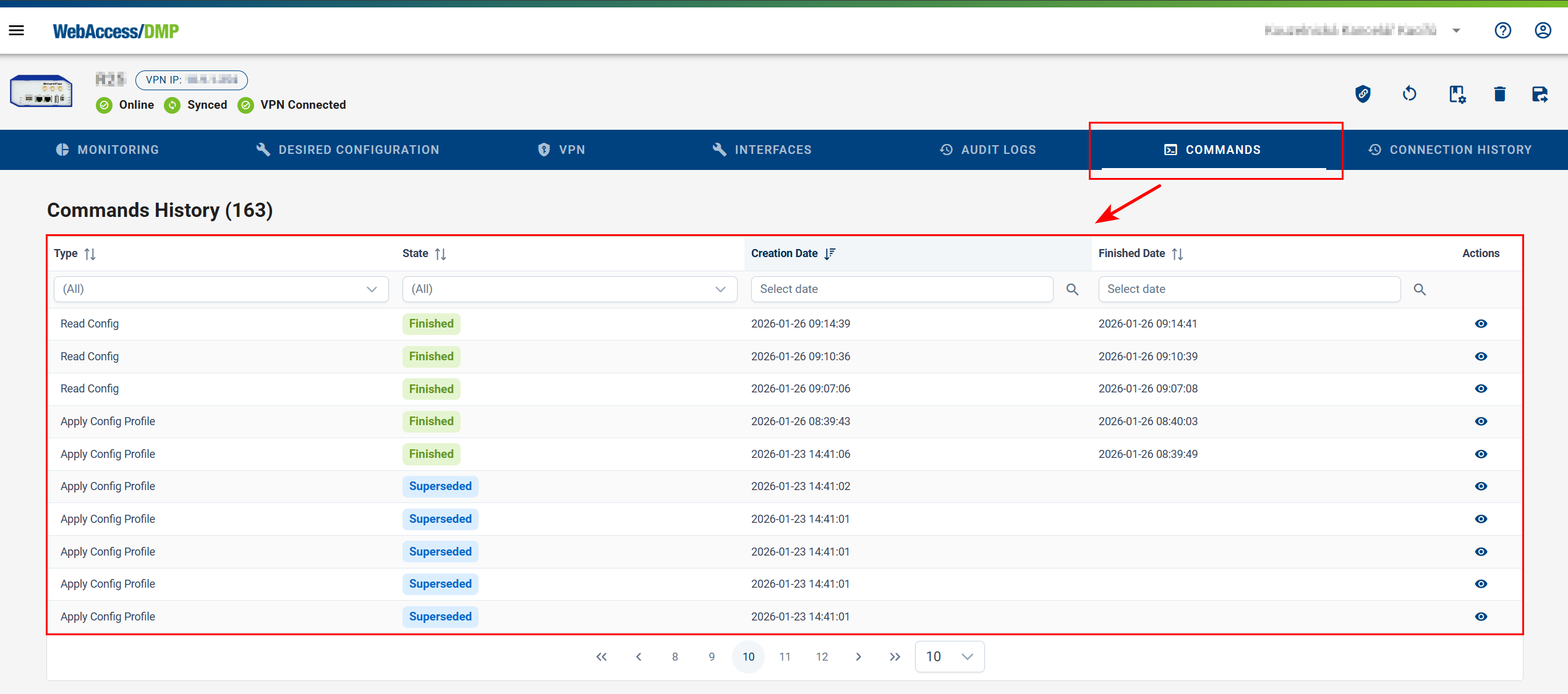
- Commands Tab: Displays all commands along with their type, current state, and creation time.
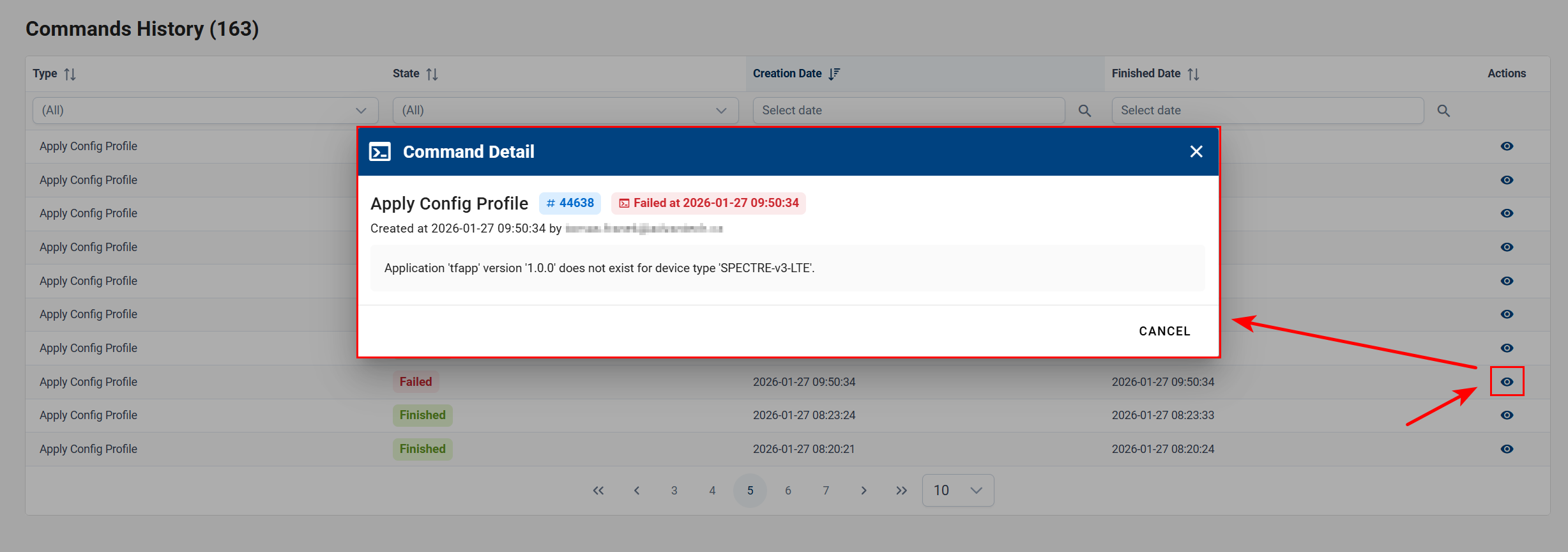
- Command Details: Select Details to view extended information, such as failure reasons or the next scheduled retry.
- Aborting Commands: Eligible commands include an Abort action, which stops further retry attempts.
- Data Retention: Completed commands are automatically removed from the system after a few weeks to keep the interface concise.