Appearance
WADMP Client App
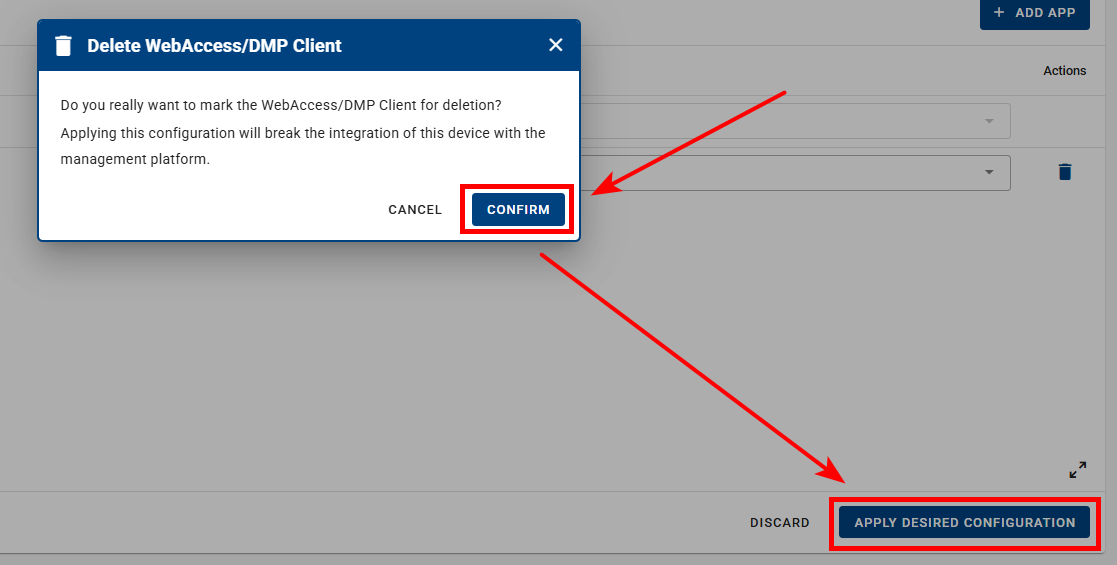
To propagate managed configuration to a device, it is recommended that the device is in a Synced and Online state. In the WebAccess/DMP Client Router App, synchronization must be enabled for configuration syncing to work (this option is enabled by default).
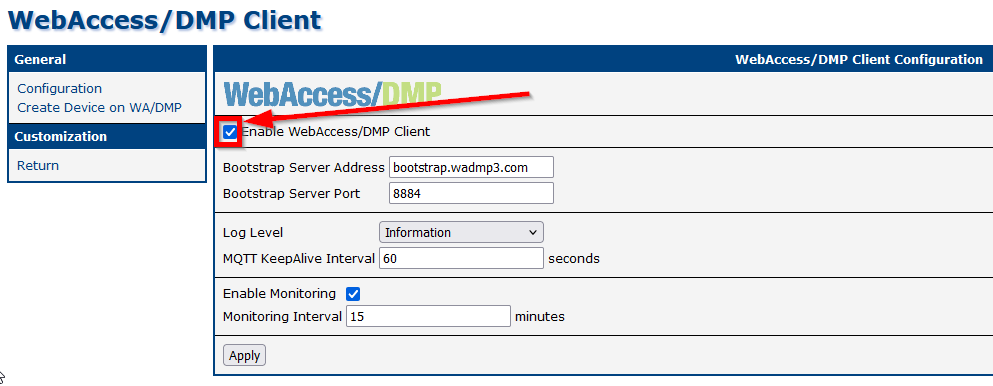
Note: Enabling monitoring is not required for configuration propagation. Monitoring is used only for collecting and reporting metrics.
Handling Router-Side Changes
If configuration changes are made locally on the router (via the router’s web interface), WebAccess/DMP will override those changes only if the affected setting is defined as managed (desired) in WebAccess/DMP.
Managed (desired) values can be defined in the following ways:
- By assigning a Configuration Profile
- By configuring an individual Field from the Configuration category
(Fields can be created manually or selected and configured on the Desired Configuration tab of the device page)
Deleting the WebAccess/DMP Client App
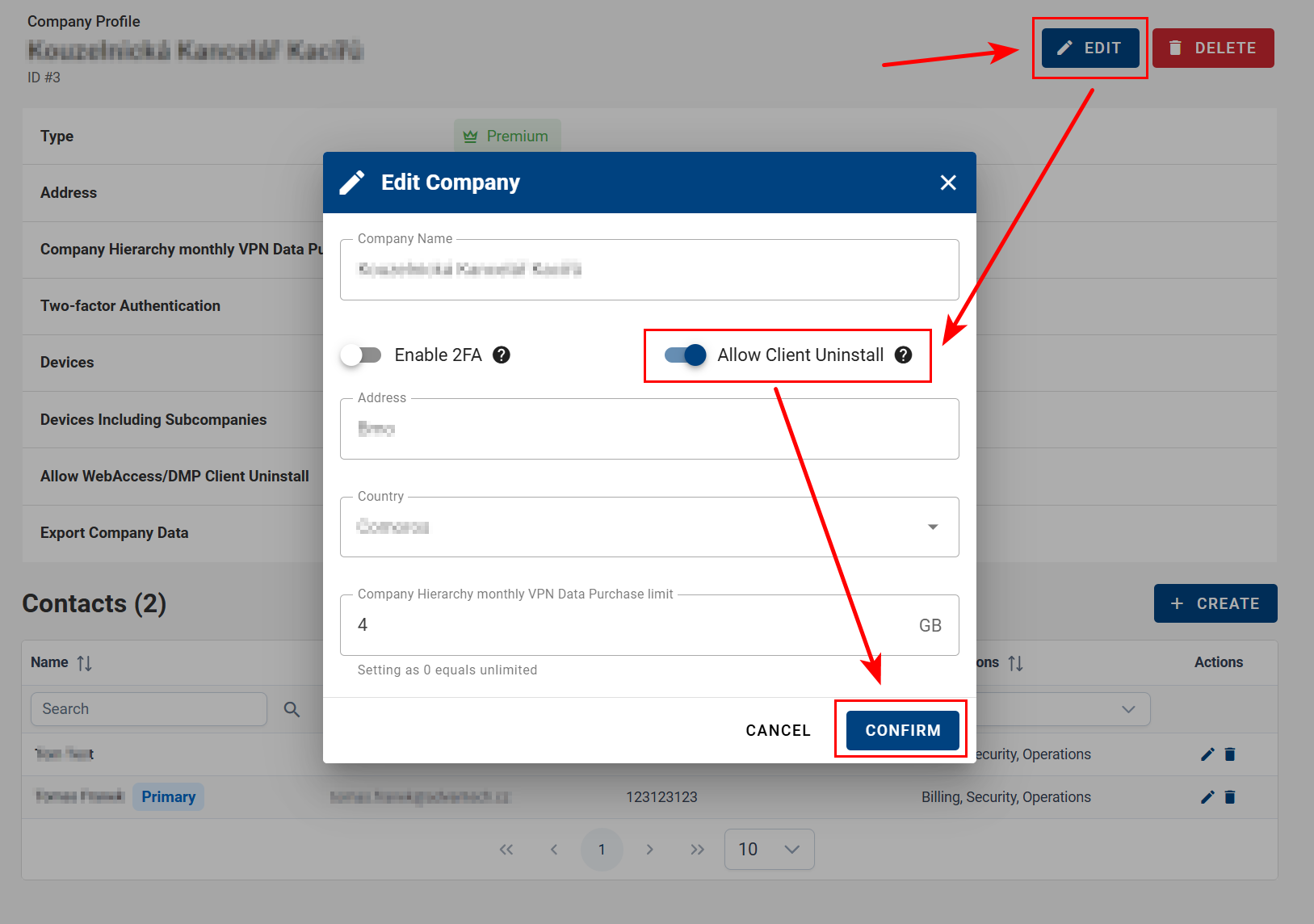
To remove the WebAccess/DMP Client App from a device, the action must first be explicitly allowed at the company level.
- Open the company profile and click Edit.
- Enable Allow Client Uninstall and confirm the change.
- Navigate to the device’s Desired Configuration page. A blue trash icon will appear next to the WebAccess/DMP Client App.
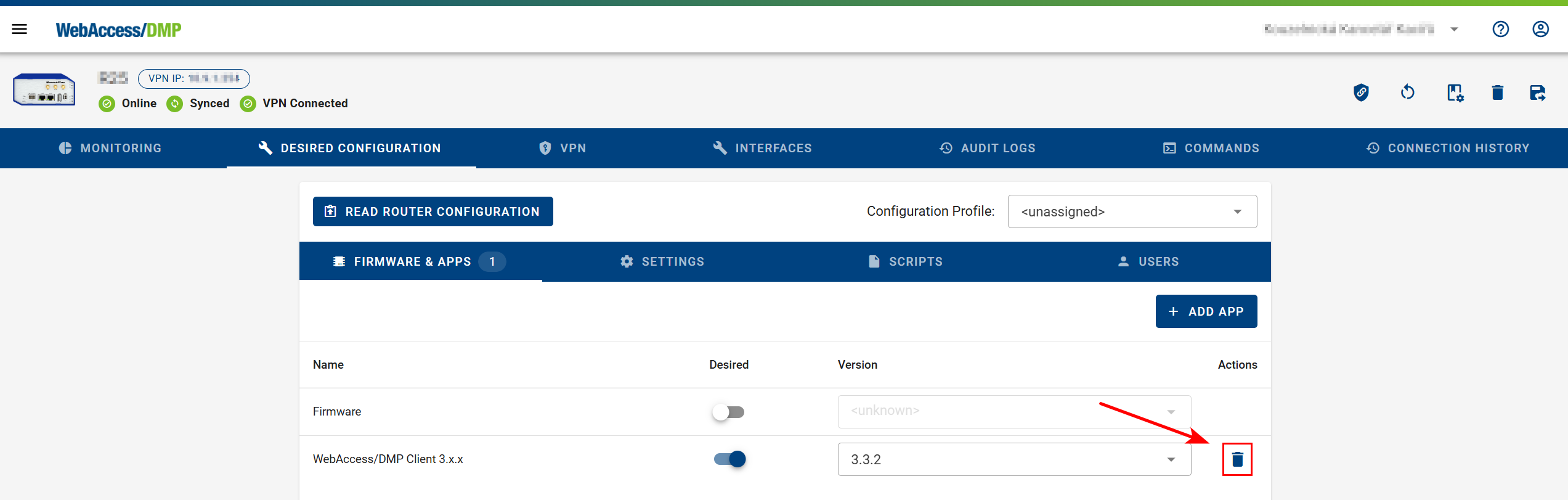
- Click Confirm, then select Apply Desired Configuration to remove the client app from the device.