
Appearance
Exporting Data to CSV
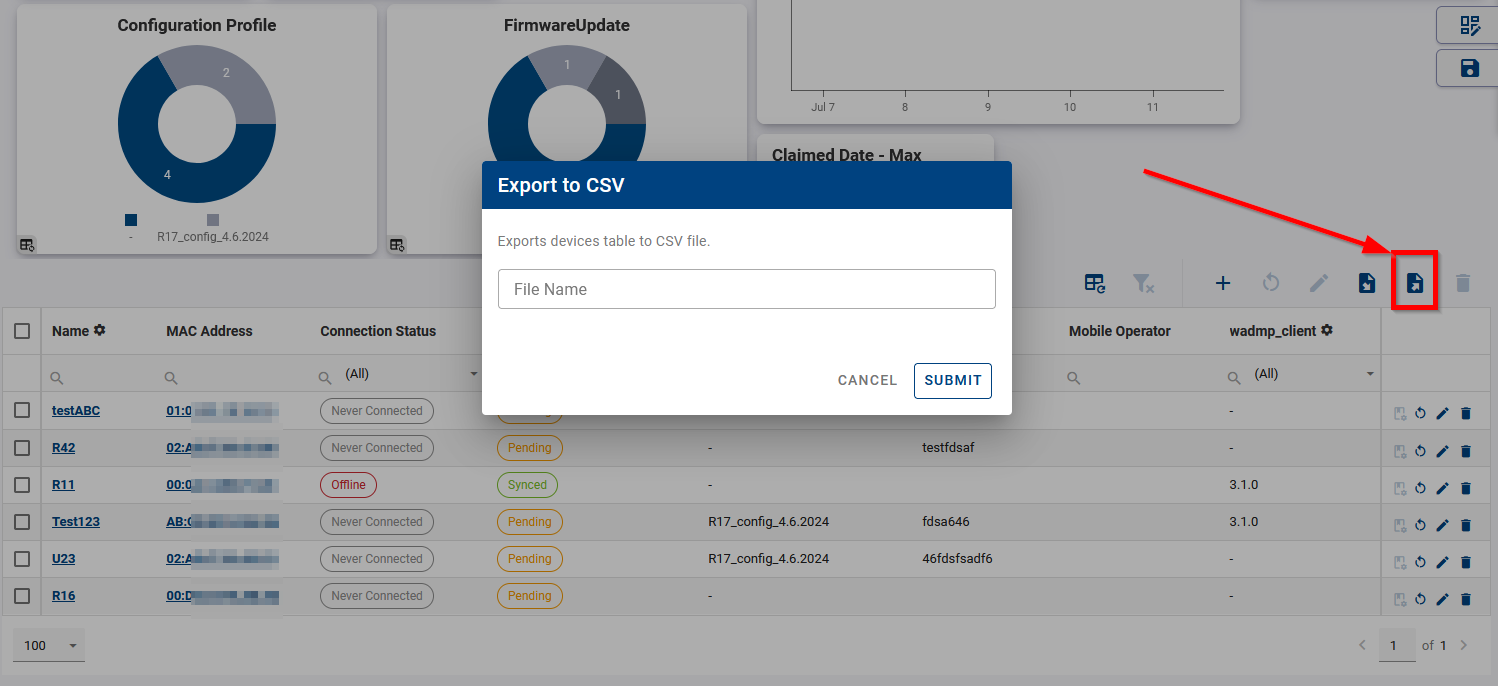
You can export device data to a CSV file from the device table in any dashboard view. Click the Export icon above the table to download the data.
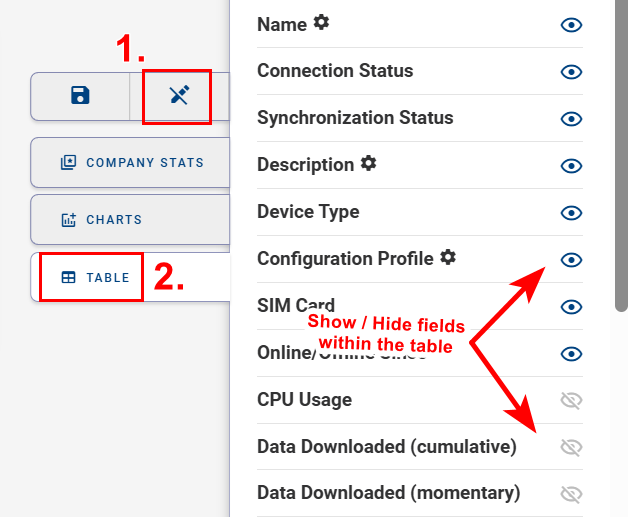
Before exporting, configure the table to include all required fields:
- Click Edit View
- Open the Table settings
- Use the eye icon to show or hide columns
All matching rows are always exported:
- Active filters are applied
- Pagination settings are ignored
- Individual row selection does not affect the export
Note:
Exported CSV files can also be used for bulk configuration. For more information, see Performing Batch Edit of Field Values.