Appearance
Permissions & Roles
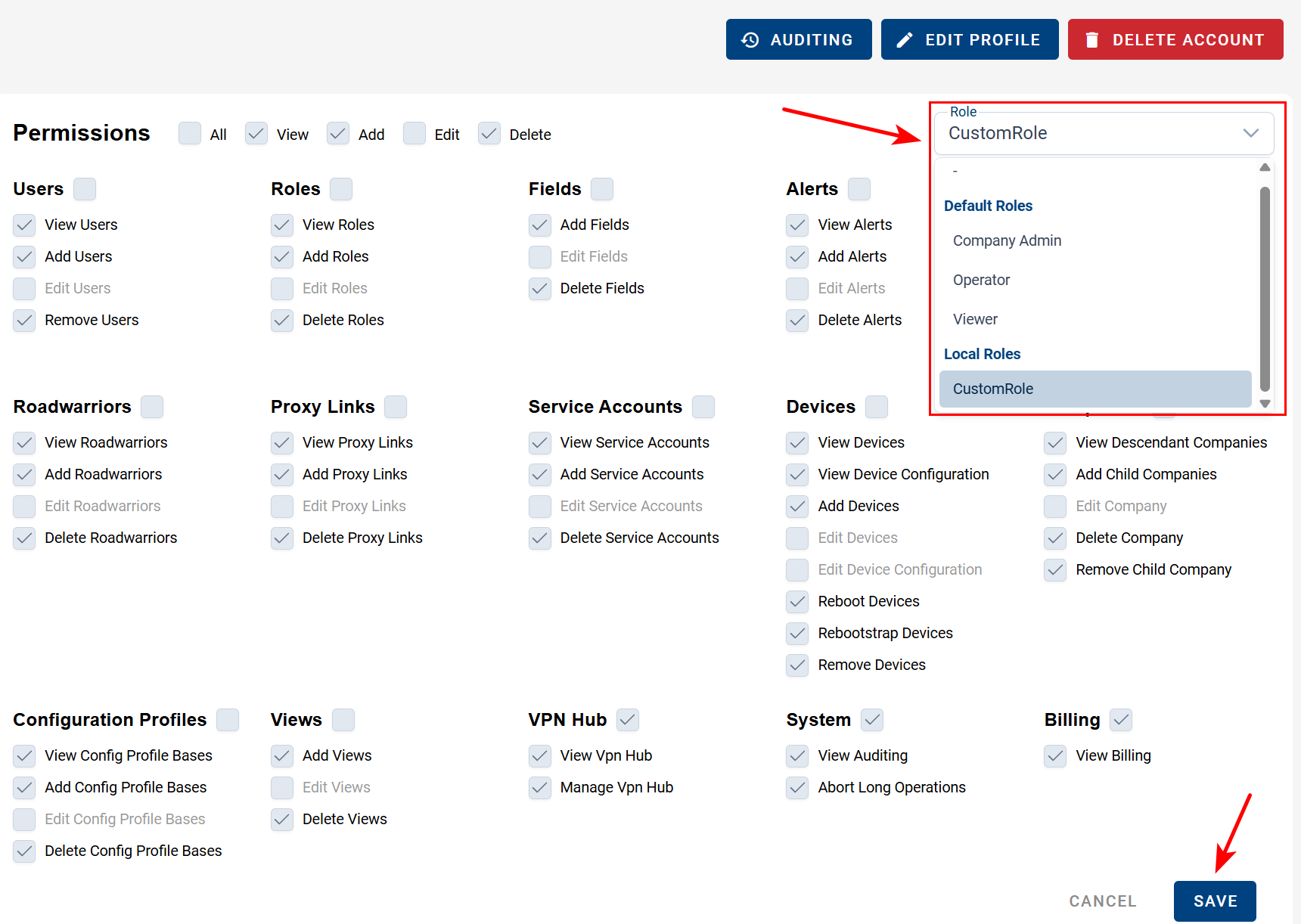
Permissions define what users can view, create, edit, or delete within a company. They are scoped per company, meaning a user can belong to multiple companies and have different permissions or roles in each. Permissions can be assigned individually or through roles.
General Rules
- Users can always edit their own profile information (name, email, etc.), regardless of their assigned permissions.
- Users cannot modify their own permissions.
- Users may modify the permissions of other users only in companies where they have the Edit Users permission, and they can assign only those permissions that they themselves currently hold.
Roles
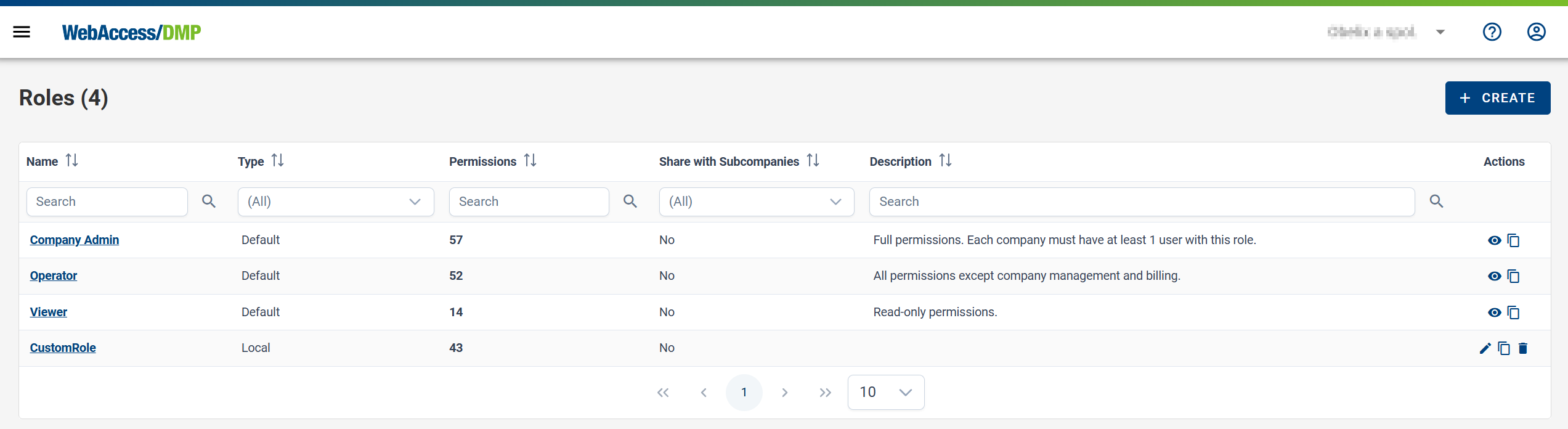
Roles are predefined or custom sets of permissions that simplify user management. Each user can have zero or one role per company. This section is available under User Management in the context menu.
Default Roles
The system provides several default roles. Using these roles ensures that any new permissions added in future releases are automatically included in the appropriate roles.
| Role | Description | Key Capabilities |
|---|---|---|
| Company Admin | Full access to all company features. The system enforces at least one Company Admin per company. | All permissions, including company management, billing, devices, VPN, alerts, and auditing. |
| Operator | Full operational capabilities except company management and billing. | Manage devices, alerts, VPN, fields, views, proxy links, and service accounts. |
| Viewer | Read-only access to company data. | View-only permissions; cannot create, edit, or delete resources. |
Custom Roles
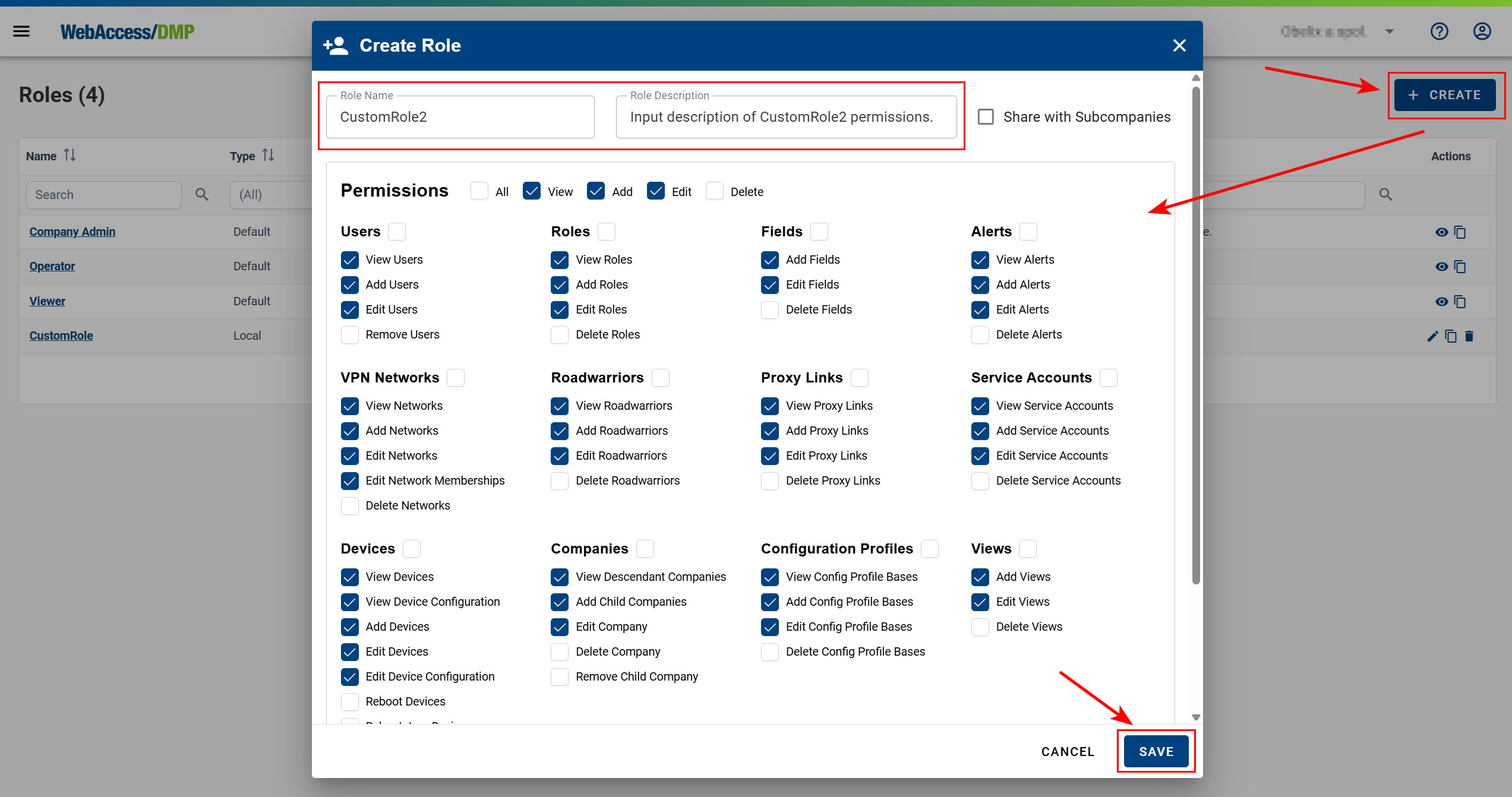
- Users can create, edit, and delete custom roles.
- Users can assign only those permissions that they themselves currently have.
- Custom roles allow precise control over which actions a user may perform within a company.
Best Practices
- Assign users to roles rather than individual permissions whenever possible. This simplifies management, especially when new permissions are introduced.
- Use custom roles for specialized access when the default roles are not sufficient.
- Grant only the permissions required for a user’s responsibilities (principle of least privilege).