Appearance
Service Accounts
Service Accounts are a special type of account designed for programmatic access to the system. Unlike standard user accounts, they are intended specifically for automation, scripts, and API integrations.
Key Characteristics
- No UI Access: Service accounts cannot sign in to the web user interface. They are used exclusively for authenticated API calls and automated scripts.
- Bypass 2FA: Because service accounts are intended for non-interactive, machine-to-machine communication, they bypass two-factor authentication (2FA). This allows scripts to run autonomously without requiring a human to provide a secondary authentication code.
- Permissions & Roles: Service accounts support the same permission model as regular users. You can assign permissions to them individually or assign them to a Role to inherit a predefined set of permissions.
Ownership and Cross-Company Access
Service accounts can manage resources across company boundaries while maintaining a strict ownership model.
Owner Company
Each service account is owned by exactly one company. Only the owner company can:
- Modify the account description.
- Reset or change the password (credentials).
- Delete the service account.
Cross-Company Permissions
A service account can be granted access to multiple companies. This is useful, for example, for managed service providers (MSPs) that use a single automation script to manage routers across several customer environments.
Managing Service Accounts in the UI
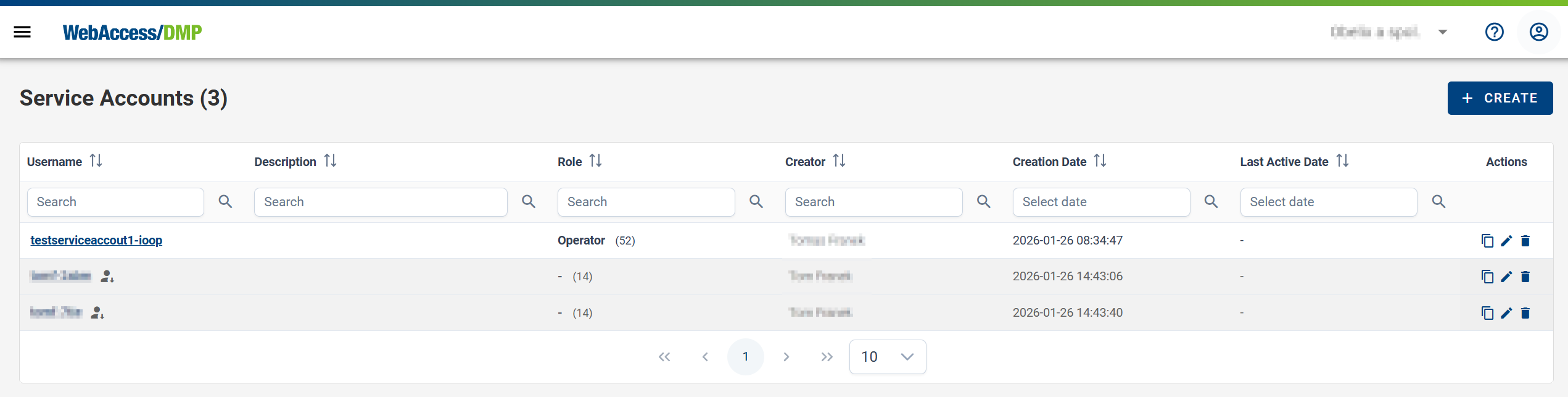
The Service Accounts page provides a centralized table of all service accounts for the currently active company. This section is available under User Management in the context menu.
Visual Distinction
The interface distinguishes between accounts owned by your company and accounts that only have access to it:
- Owned Accounts: Full management capabilities are available.
- External Accounts: Accounts owned by another company that have been granted access to your resources.
Permission Management
If your active company is not the owner of a service account, management is limited to your own scope. You can:
- Edit Permissions: Change what the service account is allowed to do within your company.
- Remove Access: Revoke the account’s permissions for your company entirely.
You cannot delete the account or change its credentials unless your company is the owner.
Create a New Service Account
When creating a new Service Account:
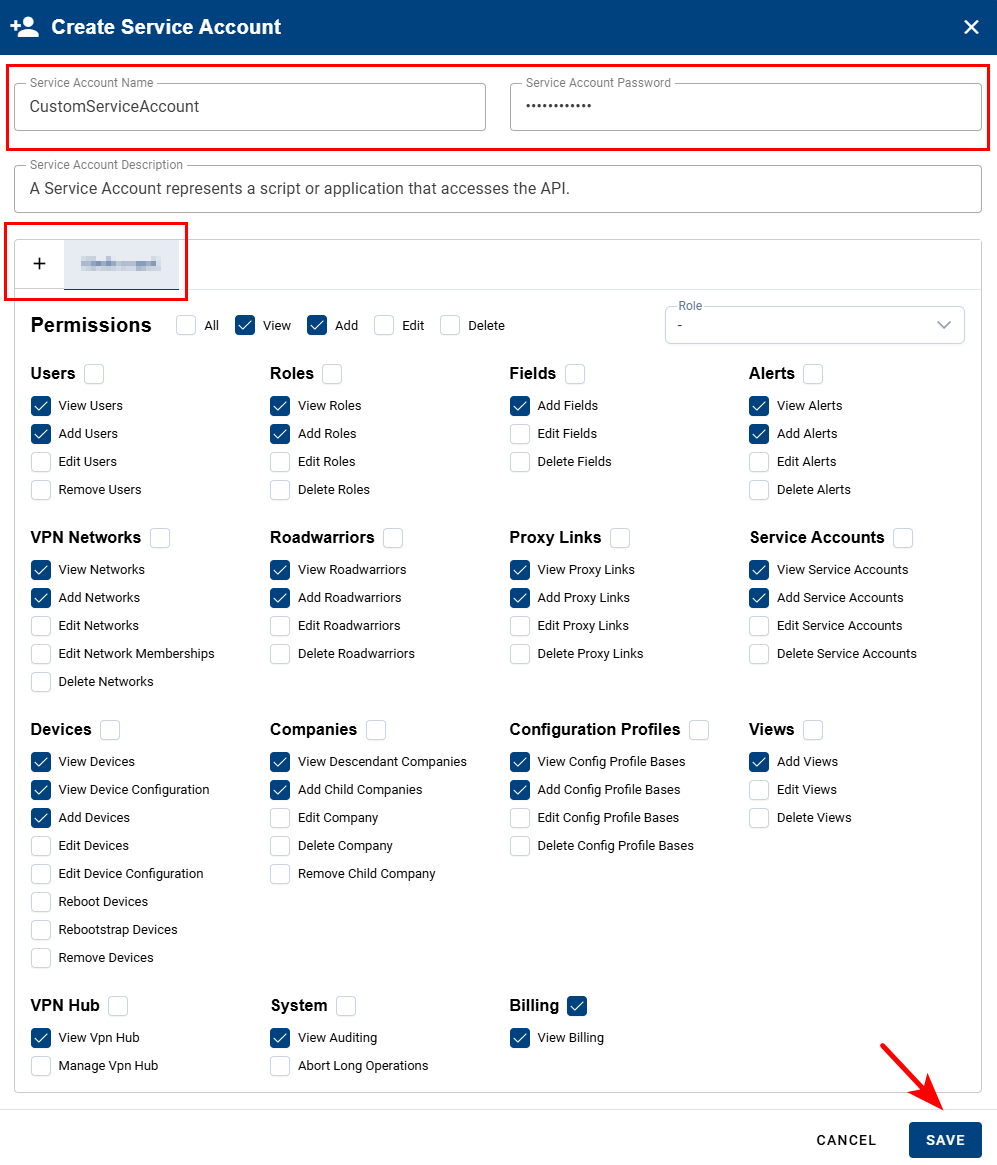
- Enter a Service Account name.
- Set a password that meets the security requirements (at least 8 characters, including one uppercase letter, one number, and one special character).
- Optionally provide a description.
- Select the companies the Service Account will belong to.
- Assign the required permissions.